
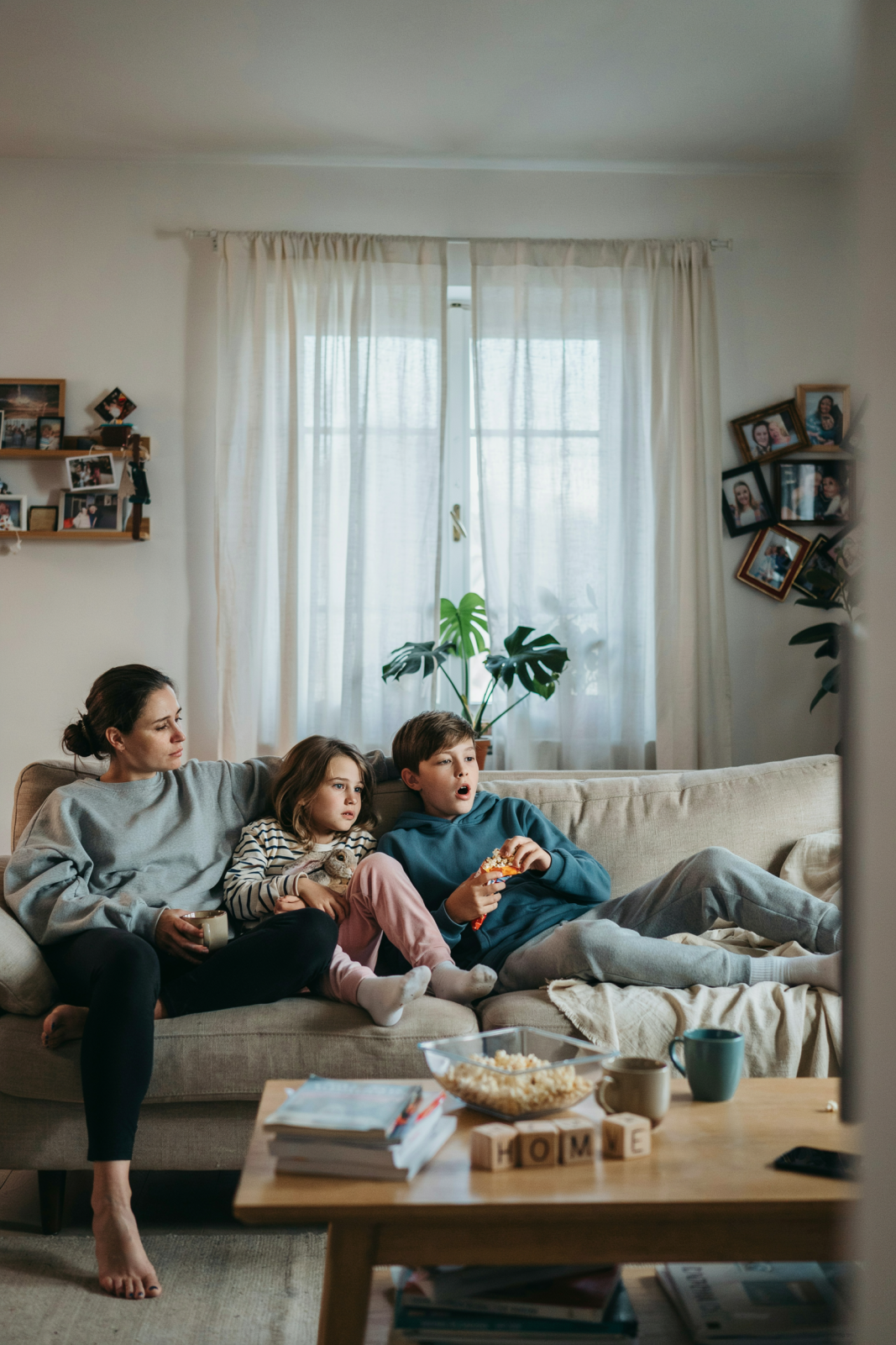
Screen Time for Kids: A Real Parent’s Guide to Limits Without the Guilt
Quick Answer: The American Academy of Pediatrics recommends 1–2 hours of quality programming daily for children 6 and older, with no screens for babies under 18 months. But real life isn’t perfect—what matters is making intentional choices aligned with your family’s actual situation, not some Instagram-perfect standard.
If you’ve felt guilty about your kid’s screen time, you’re not failing. You’re human.
Every day, parents get conflicting messages: doctors say limit screens, algorithms are designed to make them addictive, teachers assign homework on tablets, and sometimes—let’s be honest—screens are the only thing standing between you and a complete meltdown. It’s enough to make any parent feel like they’re doing it wrong.
The truth is, most families exceed the official guidelines. And that doesn’t make you a bad parent.
This article isn’t here to shame you into screen-free living or tell you there’s one perfect answer. Instead, you’ll learn what the actual research shows, how to figure out what works for your specific family (because that matters more than following arbitrary rules), and how to set limits that you can actually stick to without constant battles.
Heads up: This post may include affiliate links. As an Amazon Associate, I earn from qualifying purchases—at no extra cost to you. Full privacy policy and disclosure here.
What Do Doctors Actually Recommend?
Let’s start with the baseline. The American Academy of Pediatrics and the World Health Organization have published guidelines on screen time by age. These are the professional recommendations—helpful anchors, not commandments.
Newborns and Babies Under 18 Months
For this age group, the guidance is straightforward: avoid screens. Babies this age learn through interaction, touch, and real-world faces. They need your attention and physical presence more than any video can offer.
That said, video chatting with a grandparent counts as interactive, not passive. And if you’re desperate for 15 minutes to shower while a baby watches something? You’re not a failure.
Toddlers (18 Months to 5 Years)
This is when screens start becoming tempting. Toddlers love bright colors and movement. The recommendation is high-quality programming only, and only with a parent watching alongside. Co-viewing matters because it helps kids process what they’re seeing. They learn better when you’re talking through it with them.
The American Academy of Pediatrics suggests keeping it to about 1 hour per day of quality content. But again—this is an ideal, not a rule you have to follow perfectly.
School-Age Kids (6 Years and Older)
Once kids are in school, the guidelines open up a bit. The recommendation is 1–2 hours of quality programming per day. By school-age, kids can handle a broader range of content, and some educational screen time (learning apps, educational videos) becomes genuinely useful.
The key word is still quality. Not all screen time is equal, and we’ll talk about that in detail later.
Teenagers
For teens, the focus shifts from limiting hours to monitoring what they’re using screens for. Social media, streaming, gaming, and schoolwork all live on the same devices. The goal isn’t to hit a magic number of hours—it’s to help them develop healthy habits and understand how platforms are designed to keep them hooked.
| Age Group | AAP Recommendation | Context & Notes |
|---|---|---|
| Under 18 months | Avoid screens | Interactive video chat with family is okay. Use for your own sanity if needed—it won’t harm them. |
| 18 months–5 years | 1 hour per day of quality content, with a parent present | Co-viewing helps kids learn. Quality matters more than quantity at this age. |
| 6+ years | 1–2 hours per day of quality content | Educational screen time can support learning. Set consistent limits and protect sleep time. |
| Teenagers | Consistent limits; focus on what they’re doing | Social media, gaming, and schoolwork all compete for time. Monitor habits, not just hours. |
The Real Impact: What Too Much Screen Time Actually Does

Here’s where I’m going to be honest with you: the internet is full of panic about screens causing brain damage, addiction, and a generation of zombie kids. Some of that is real concern. Some of it is just fear-mongering.
Let me break down what the research actually shows.
Sleep Disruption (The Biggest Real Concern)
This is the #1 impact you should care about. Screen use close to bedtime—especially when it involves bright, blue light-emitting devices—can suppress melatonin production and delay the body’s natural sleep signals. Combined with stimulating content, this can make it harder for kids to fall asleep and get the restorative sleep they need. American Academy of Pediatrics; Hale & Guan, Sleep Medicine Reviews.
Poor sleep affects everything: behavior, focus, mood, immune function. If your kid is exhausted, they’re going to have a harder time with everything else. This one is worth protecting.
Action: No screens 1–2 hours before bed. This matters more than total daily hours.
Attention and Focus Issues
Kids who spend lots of time on screens designed to grab attention (social media, fast-paced games) can struggle with sustained focus on slower tasks like reading or homework. But this isn’t permanent brain damage—it’s more like a habit.
The brains of kids who spend hours a day on screens can take time to re-adjust to slower-paced activities. That doesn’t mean screens destroyed their attention span forever.
Physical Impacts (Posture, Eye Strain)
Hunching over a tablet or phone for hours can lead to poor posture and neck strain. Screen-induced eye strain is real, though blue light damage is overstated. Taking regular breaks and adjusting screen height helps.
This is a “be aware of it” issue, not a major health crisis.
Social Development and FOMO
For kids and especially teens, being excluded from group chats or social media can feel genuinely painful. There’s real social cost to not having access to what peers are doing. But this isn’t screen time’s fault—this is the reality of growing up with social media.
The impact matters differently depending on age and personality.
Behavioral Shifts and Mood
Some kids become irritable or anxious when screens are removed. Others become more focused and calm. The relationship between screen time and behavior is real but also highly individual. Your kid’s temperament and the content they’re consuming both matter.
Is All Screen Time Bad? The Quality Question
This is where most articles fall short. They treat all screen time the same. Passively watching TikTok for an hour is not the same as using an educational app for an hour, which is not the same as video chatting with grandma.
Quality and context matter.
Passive Consumption vs. Interactive Use
Passive screens (watching TV or YouTube without engaging) are different from interactive screens (apps that require input, video games with problem-solving, video calls). Kids learn better when they’re actively participating.
An educational app where a child has to answer questions or solve problems is more valuable than a 30-minute educational video they watch while half-paying attention. Neither is bad, but one is more effective.
| Type of Use | Learning Value | Attention Demands | Best For |
|---|---|---|---|
| Passive (TV, YouTube, streaming) | Lower—information washes over; limited retention | Low; kids can zone out | Winding down, background activity |
| Interactive (apps, games, puzzles) | Higher—kids have to think and respond | High; requires focus | Learning, problem-solving, skill-building |
| Social (video calls, shared gaming) | Very high—real interaction and social practice | Moderate to high | Connection, relationship-building |
Educational vs. Entertainment
Here’s the tricky part: a lot of screen time labeled “educational” isn’t actually teaching much. A flashcard app that moves fast might feel productive, but slower, engagement-based learning works better.
That said, some genuinely quality educational content exists. PBS Kids, Masterclass for kids, and well-designed learning apps do help. The question isn’t whether the screen *says* it’s educational—it’s whether your kid is actively engaged and actually learning.
Screen Time in Crisis Moments (It’s Okay Sometimes)
Real life includes moments when screens are your lifeline. You’re sick. Your partner is traveling. You’re working from home with no childcare. You’re having a mental health crisis.
Screen time during these moments is not a failure. It’s survival. One week of higher screen use will not damage your kid. Consistency matters way more than perfection.
Your Screen Time Reality Check Framework
This is the section that matters most—because it’s how you figure out what’s actually right for YOUR family, not what some parenting article says should be right.
Instead of a one-size-fits-all limit, you’re going to answer five questions that clarify your specific situation.
The Five Questions to Ask Before Setting Limits
- What’s your current family situation? Are you working from home solo? Single parent? Two-income household? Each situation has different realities. A stay-at-home parent and a work-from-home parent with a chaotic toddler face completely different demands.
- Is your kid neurodivergent or have special needs? Kids with ADHD, autism, anxiety, or sensory sensitivities often have different relationships with screens. The standard guidelines might not apply, and that’s okay.
- What’s your kid actually watching or doing? Are they learning something, zoning out, connecting with friends, or doom-scrolling? The activity matters.
- How is screen time affecting the things that matter most? Is your kid sleeping well? Getting outside? Maintaining friendships? Doing homework? These are the real metrics, not arbitrary hours.
- What can you realistically enforce? A screen limit you can’t actually maintain is worse than a higher limit you can stick to. Consistency beats perfection.
Once you’ve answered these, you’re ready to figure out what limits actually make sense for your family.
When Screen Time Is Part of Your Survival Toolkit (And That’s Fine)
Work-from-home parents: screens are how you get through the day. Teachers using tablets in classrooms: screens are part of education now. Kids with ADHD who hyperfocus on video games: sometimes it’s the calm moment you get.
If screens are a necessary part of your family’s functioning, they’re not a failure. They’re a tool. The goal isn’t to eliminate them—it’s to use them intentionally.
Making Intentional Choices Instead of Defaulting
The real difference between screen time that’s thoughtful and screen time that’s not is intention. Are you choosing screens because it’s right for this moment, or are you using them because you haven’t thought about it?
Intentional screen time: “I’m working a deadline today, so screen time is higher, and that’s my choice.”
Default screen time: screens are on all the time because nobody really decided.
The difference is huge.
How to Actually Set (and Enforce) Limits That Work
Knowing what’s healthy is one thing. Actually making it happen is another. This section is about creating a plan that lasts longer than three days.
Creating a Sustainable Screen Time Plan
Start small. If your kid currently has unlimited screen time and you suddenly announce “one hour a day,” you’re setting up a battle. Instead:
- Know your baseline. How much screen time is happening now? A week of honest tracking shows you where you’re starting.
- Identify your non-negotiables. What time absolutely has to be screen-free? Meals? Bedtime? The hour after school?
- Many families find it helpful to use a Visual Countdown Timer so kids can actually see how much screen time remains. A visual timer often makes transitions feel more predictable and reduces arguments when it’s time to turn devices off.
- Make the transition gradual. If you’re reducing significantly, do it over 2–3 weeks, not overnight.
- Build in win-win options. Can screens happen after homework? After outdoor time? Offering choices makes limits feel less punitive.
Handling the Power Struggles and Transition Tantrums
The first time you enforce a screen limit, your kid will probably lose it. That’s normal and expected. Here’s what actually works:
- Give a 10-minute warning. “Screens are turning off in 10 minutes.” Set a timer your kid can see. This isn’t negotiable, but it’s fair.
- Use a specific end ritual. Not just screens off, but screens off and then we [play a game / go outside / have a snack]. The transition to something else matters.
- Expect the meltdown and stay calm. Your kid will be upset. You staying calm is the entire game. Don’t lecture, don’t argue. “I know this is hard. Screens are off now.”
- Be boring in the moment. Crying and yelling are designed to get your attention. If you stay quiet and kind, not engaged in the drama, the meltdown typically passes in 10–15 minutes.
- Don’t negotiate in the moment. The time to discuss screen limits is not when they’re actively crying about them. Wait for calm, then talk.
The meltdowns usually decrease within a week or two, once kids realize the boundary is real and consistent.
If your child struggles with transitions, pairing your warning with a Visual Countdown Timer can make the change feel less abrupt. Kids can watch the remaining time disappear instead of relying on verbal reminders alone.
Screen-Free Time That Everyone Actually Enjoys
Here’s what kills screen limits: replacing screens with boredom. Your kid doesn’t need another activity scheduled. They need some ideas readily available.
Creating healthier screen habits doesn’t have to mean eliminating screens altogether. Use this free printable to track your family’s screen time throughout the week, spot patterns, and discover fun screen-free activities when it’s time to unplug. Keep it on the fridge or family command center as a simple reminder that small, consistent changes make a big difference.
Keep a dedicated “boredom basket” filled with coloring supplies, books, building materials, puzzles, and hands-on activities like a Kids Magnifying Glass Set or a Nature Journal for Kids. When screens are off, having engaging options within easy reach makes the transition much smoother.
Some of the best screen-free time? Unstructured play. Kids get creative when they’re bored and have materials around. It doesn’t have to be Pinterest-perfect.
Protecting Your Kids While They Use Screens
Limiting screen time is one part of the picture. When screens are happening, there are real safety and health concerns worth paying attention to.
Age-Appropriate Privacy and Account Settings
Whatever platform your kid is using—YouTube, TikTok, Instagram—check the privacy settings. What information is public? Who can contact them?
For younger kids, parental controls should be on by default. For teens, a conversation about what privacy settings mean is more effective than controls they’ll just find ways around.
Content Filtering and What to Monitor
YouTube Kids, Netflix parental controls, and app restrictions can help filter content. They’re not perfect, but they reduce the chance of your 7-year-old accidentally finding something unsuitable.
Spot-check what your kids are actually watching. You don’t need to monitor every second, but knowing their favorite YouTubers or shows tells you what they’re consuming.
Spotting Addictive Design and Pushing Back
TikTok, Instagram, and YouTube are specifically designed to be addictive. The infinite scroll, algorithmic recommendations, notifications—it’s not accident. It’s engineered.
Understanding this helps you explain to kids why they feel like they can’t stop. It’s not a character flaw—the apps are designed by people whose job is literally to make them irresistible. Knowing that puts you on the same team with your kid instead of treating them like they lack willpower.
Red Flags That Screen Time Is Becoming a Problem
| Normal Screen Use | Warning Signs |
|---|---|
| Kid wants screens and you set limits | Kid needs screens and panics or rages when they’re unavailable |
| Kid is upset when screens turn off but recovers within 20 minutes | Kid escalates to aggression, extreme mood swings, or seems dysregulated for hours |
| Kid sneaks screens occasionally | Kid lies consistently about screen use, hides devices, sneaks time repeatedly |
| Screens are one activity among many | Kid has lost interest in other activities they used to enjoy |
| Screen time affects bedtime sometimes | Kid is consistently sleep-deprived due to screens; you’ve lost the ability to enforce off-time |
If you’re seeing patterns in the right column, it’s time to make changes—and potentially talk to your pediatrician.
Special Situations: Screen Time for Neurodivergent Kids
The standard guidelines work for some kids. For others—especially those with ADHD, autism, anxiety, or sensory sensitivities—screen time operates completely differently.
Kids with ADHD: Screens (especially video games or hyperfocus activities) can be the one place they feel capable and in control. Complete restriction can backfire. Instead, use screens strategically: as a reward, as a transition tool between activities, or as a way to build confidence. Higher limits might be appropriate for your family.
Autistic kids: Some autistic children are soothed by certain screen content. If your kid hyperfocuses on a specific YouTube channel or video game, that’s not a problem to eliminate—it’s sometimes their regulation tool. The goal is balance, not elimination.
Anxious kids: Screens can increase anxiety (especially social media) or decrease it (if they’re using specific calming content). Knowing which is which for your kid changes your approach entirely.
For neurodivergent kids, it’s important to consider how and why they’re using screens—not just how long. Children with ADHD, autism, anxiety, or sensory differences may use digital media for regulation, communication, learning, or social connection in ways that differ from their neurotypical peers. Rather than focusing only on a fixed number of hours, pay attention to whether screen time is supporting your child’s wellbeing or crowding out essentials like sleep, physical activity, schoolwork, and relationships. American Academy of Pediatrics; Children and Screens Institute.
Screen Time When You’re Working from Home (The Real Talk)
If you work from home with kids, you probably use screens as a survival tool. You’re not alone. And you’re not a failure.
Screens are often how you get work done while parenting solo. A kid watching something for 2 hours while you’re on a deadline isn’t a tragedy. It’s Tuesday.
When Screens Are Your Lifeline
Normalize this: on high-work-demand days, screen time goes up. That’s not something to feel guilty about. That’s just the reality of being a working parent.
The goal isn’t to eliminate it—it’s to not make it your only parenting tool. But on days when work is intense? Screens are fine.
How to Protect Your Sanity Without Perfectionism
Set a realistic limit you can actually live with. Maybe it’s “screens happen on work-heavy days, but not on low-pressure days.” Maybe it’s “2 hours on workdays, 1 hour on weekends.” Whatever you can actually do is better than trying to be perfect and burning out.
Remember: you working from home while managing kids is hard. Cut yourself slack.
Low-Guilt Ways to Reduce Reliance Over Time
If you want to reduce screen time gradually, here are some things that actually work:
- Plan simple independent activities for your busiest work hours, such as nature scavenger hunts using a Kids Magnifying Glass Set or quiet drawing and writing in a Nature Journal for Kids, so screens aren’t your only option.
- Use timers consistently so kids know when screens will end
- Create a visible work signal (closed door, headphones) so kids understand when you really can’t be interrupted
- Be honest: “Mama has a deadline Thursday, so screens might be higher this week. Saturday we’ll go to the park.”
Working parents don’t need to be perfect. You need to be surviving and your kids need to be safe. Screens help with that.
Common Mistakes Parents Make (And How to Avoid Them)
Mistake 1: Setting unrealistically strict limits and abandoning them within days. A screen limit you can’t enforce is worse than a higher limit you can. Start with one clear, achievable rule. Add more once that one is automatic.
Mistake 2: Treating all screen time equally. Educational app ≠ TikTok ≠ video call with grandma. Recognize the difference and adjust your approach.
Mistake 3: Punishing screen removal with no warning. A kid watching screens and suddenly having them yanked away = meltdown guaranteed. Use timers and warnings instead.
Mistake 4: Being inconsistent about enforcement. “No screens before bed” only on nights you remember is worse than consistent, slightly higher limits. Kids test boundaries constantly. Consistency wins.
If you’re trying to build healthier family routines overall, How to Talk So Kids Will Listen & Listen So Kids Will Talk offers practical communication strategies that pair well with consistent screen-time boundaries.
Mistake 5: Assuming educational screens don’t count toward the limit. Screen time is screen time. Content matters, but eyes and posture don’t care if an app says “educational.”
Mistake 6: Never acknowledging that screens are actually useful. Some of the pressure parents feel comes from pretending screens are evil. They’re not. They’re tools. Tools can be used well or poorly.
FAQ: Your Toughest Screen Time Questions
Is Educational Screen Time Different from Entertainment?
Educational apps and videos can support learning, but interaction matters most. A kid watching a math video passively learns less than using an app that requires them to solve problems. Real learning requires active participation. The content being labeled “educational” matters less than whether your kid is actually engaged.
How Much Is Too Much? How Do I Know If My Kid Is Addicted?
Consistent loss of interest in other activities, panic or rage when screens are unavailable, sneaking screen time despite rules, and sleep disruption are warning signs. Normal use means your kid wants screens and you set limits; addiction means they *need* screens and you’ve lost the ability to enforce boundaries. If you’re seeing the second pattern, it’s worth addressing directly.
What Do I Do If My Kid Just Melts Down When I Turn Off Screens?
Difficult transitions are completely normal. What matters is staying consistent. Offer a 10-minute warning, use a timer, provide a specific alternative immediately, and normalize that “this stinks sometimes.” The meltdown will pass; inconsistency teaches that screaming works.
Is It Bad to Use Screens as a Babysitter?
No. Real life includes moments when you need backup. What matters is being intentional—not defaulting every single day—and choosing quality when possible. Emergency screen time doesn’t wreck your kid. You not having a breakdown while parenting solo matters more than perfect limits.
Should I Worry About My Kid’s Eyes?
Blue light damage is overstated, but eye strain from close-up screens is real. Take breaks, watch posture, and consider blue-light filters if screens are heavy. This isn’t a major health threat—just something to be aware of and gently address.
How Do I Manage Screen Time When My Kid’s School Requires Chromebooks?
School screens are different from recreational screens. Daytime academic use doesn’t count the same as evening entertainment time. Set a clear boundary: school screens plus 1–2 hours of recreational screen time equals your total limit. Make sure sleep-time screens still stop an hour before bed.
What Age Should My Kid Get Their Own Phone?
This is less about age and more about maturity and your family values. No universal “right” age exists—readiness varies by kid. Consider: Can they follow rules? Do they understand consequences? Are you ready to monitor? These matter more than age. Some 10-year-olds are ready; some 14-year-olds aren’t.
Is It Okay to Let My Toddler Watch Screens While I Shower?
Yes. You’re not a failure; you’re a human taking care of yourself. Short, supervised screen time for your own safety and sanity is not harm. Taking a shower while someone watches your child is basic self-care.
Key Takeaways
- The AAP recommends 1–2 hours of quality programming daily for kids 6+, but real life isn’t perfect—intention matters more than hitting a specific number.
- Sleep disruption is the #1 real concern. No screens 1–2 hours before bed. Everything else is secondary.
- Quality and type of screen time matter way more than total hours. Interactive, educational, or social screen time is different from passive consumption.
- Use the Screen Time Reality Check Framework to figure out what’s right for YOUR family situation, not what some article says should be right.
- Consistency beats perfection. A limit you can actually enforce is better than a stricter limit you abandon.
- Screen time during survival moments (you’re sick, working a deadline, at your limit) is not a failure. It’s realistic parenting.
- Neurodivergent kids often have different relationships with screens. Follow their lead more than the guidelines.
- Working parents using screens as a tool is not a character flaw. It’s survival.
You’re Not Doing This Wrong
If you’ve read this far, you clearly care about getting this right. The fact that you’re thinking about screen time intentionally puts you ahead of most parents.
The reality is that screens are part of childhood now. They’re not going away. The goal isn’t to be screen-free (unless that’s genuinely right for your family). The goal is to use them intentionally, protect the things that matter most (sleep, relationships, outdoor time), and give yourself grace for being human.
You don’t need perfect screen time practices. You need practices you can actually sustain. Start with one clear boundary. Let it become normal. Add the next one when you’re ready. That’s how real, lasting change happens.
Your kid will be fine. And so will you.
Related Reading on Tired Mom Supermom:
- How to Cap Kids’ Screen Time to 45 Minutes — Practical strategies for setting realistic daily screen limits without constant arguments.
- Why It’s Totally OK for Kids to Be Bored — Discover why boredom encourages creativity and independence instead of reaching for another screen.
- The Impact of Sleep on Children’s Emotional Regulation — Learn why protecting sleep is one of the most important parts of healthy screen habits.
- 4 Quick Tips for Child-Proofing Your Tech — Simple ways to improve digital safety and set up devices for children of different ages.
